Example of configuration
This example shows how to configure roles and privileges for a healthcare application that handles patients, appointments, and confidential data.
The application authenticates identities in its own authentify() function and calls Session.setPrivileges() to assign roles to each session.
The rules below explain why each permission grants or denies access; see 4D's privilege configuration rules for details.
Application overview
Here are the main characteristics of the HealthCare application.
Model
The data model contains the following dataclasses:
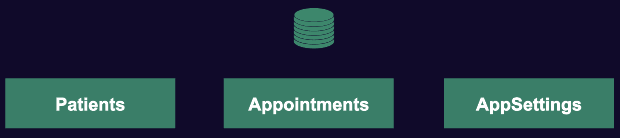
The AppSettings dataclass is used only by the administrator to set up application settings, no external access is ever allowed.
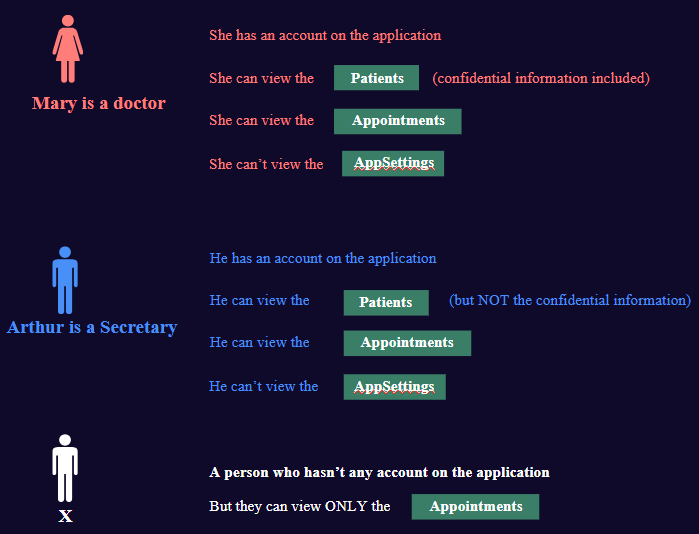
Identities and roles
The application defines its own identities and validates them in its authentify() function. After authentication, this function calls Session.setPrivileges() to assign the appropriate role to the session. See the 4D documentation for authentify() and Session.setPrivileges().
Actions
In this example, only the read action is considered, to simplify the story. However, the exposed principles are the same for other actions (create, update...)
Configuration target
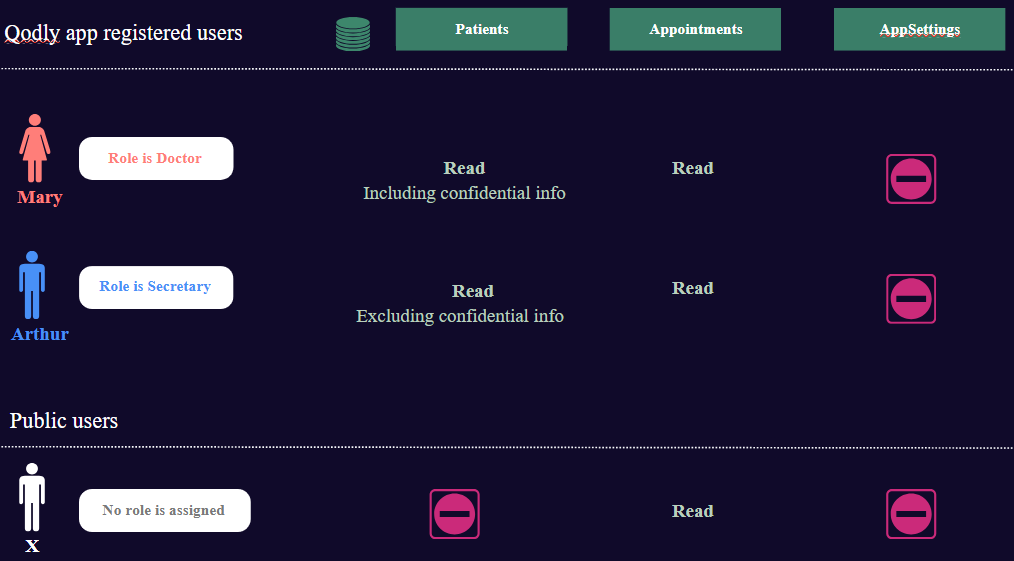
We want to configure the following accesses:
Configuring access
Protecting all data
In this example, Restrict Access By Default is off, so resources without an explicit permission are accessible. The initial configuration is:
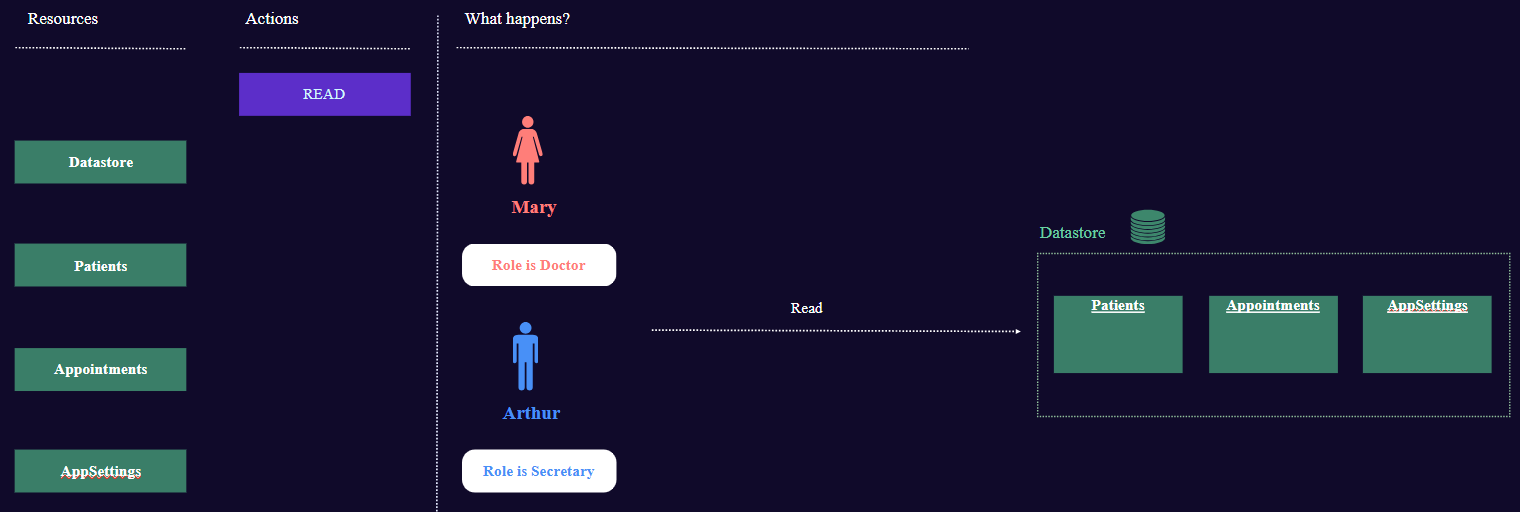
The first step in activating safety is to protect all data by default. Accesses will then be opened for each resource.
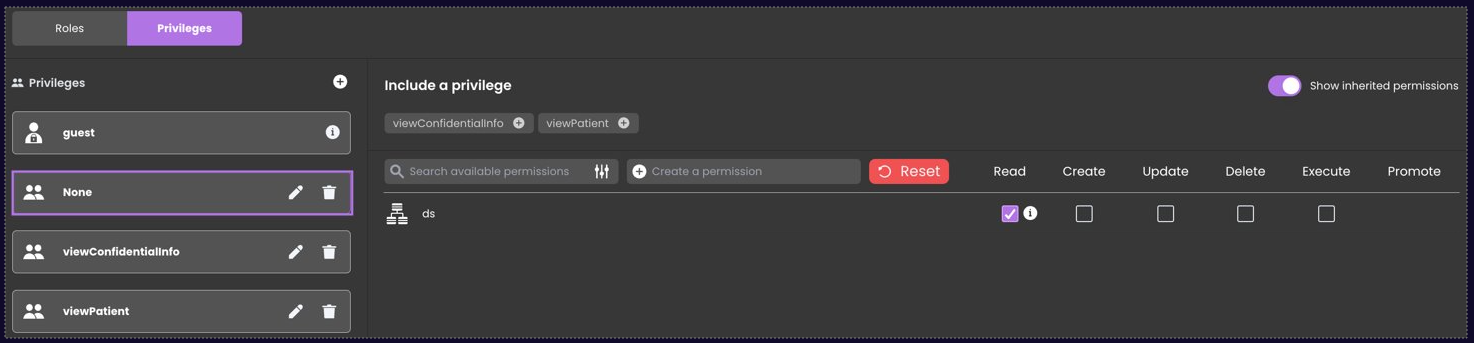
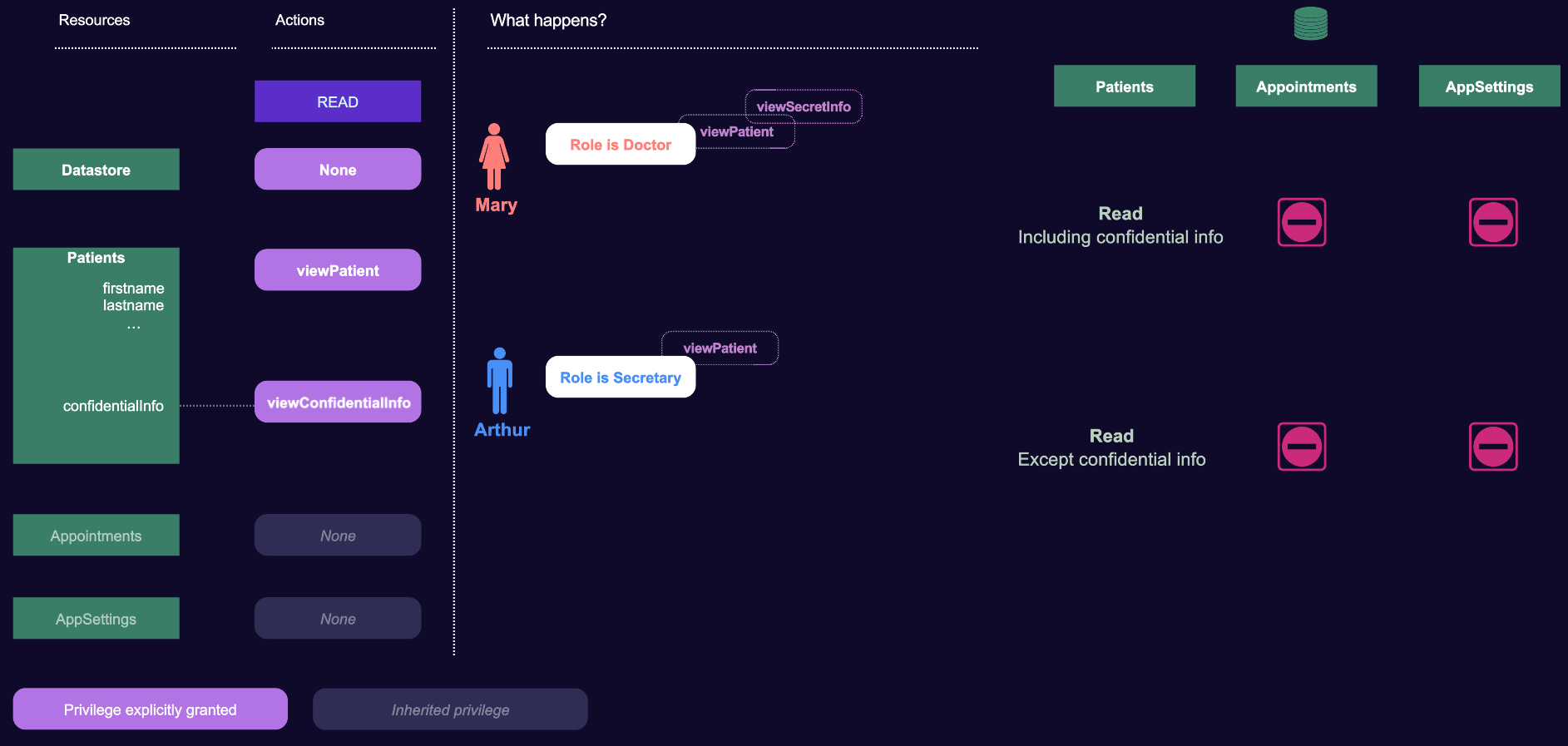
- Create a None privilege and grant it Read access on the datastore.
The datastore permission is inherited by every dataclass. Since no role receives None, read access to the dataclasses is denied by default.
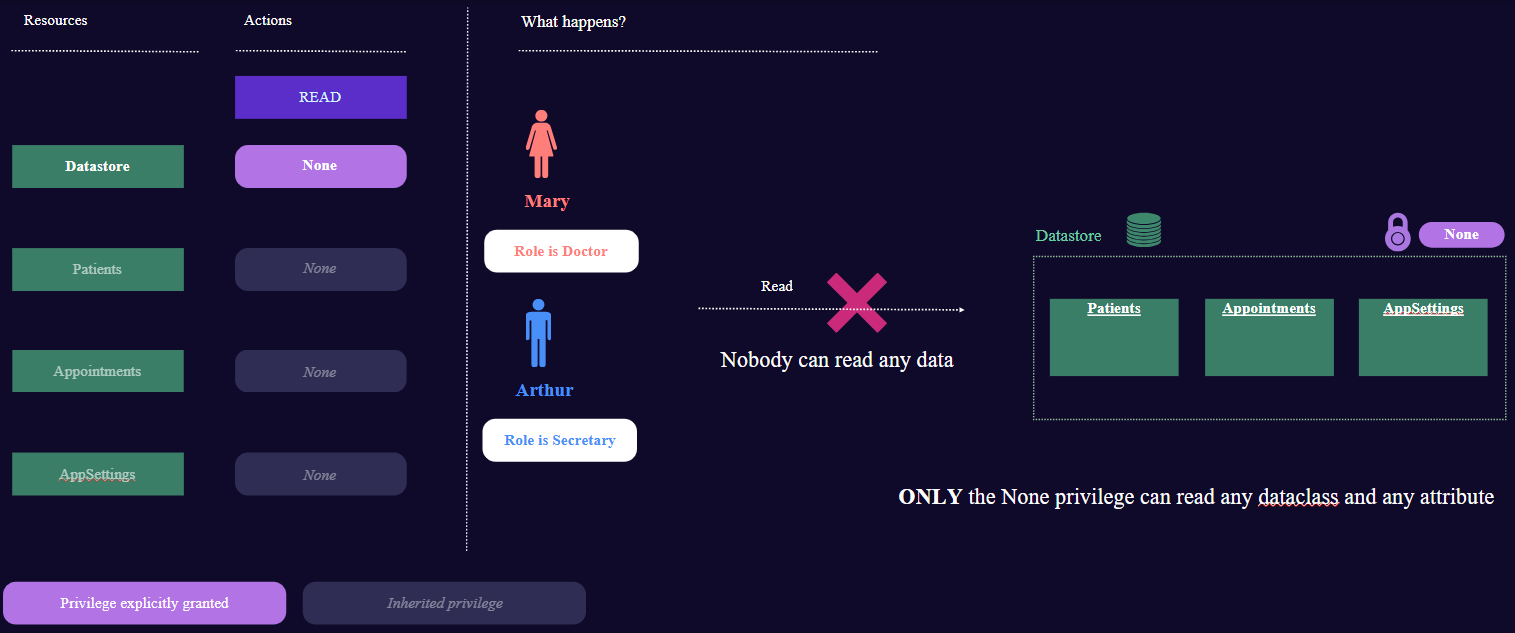
- Never assign None to a role. As an alternative, turn on Restrict Access By Default in
roles.json; resources without an explicit permission are then denied, so the None lock privilege is unnecessary. See 4D's restriction modes.
Creating the viewPatient privilege
Doctor and Secretary roles can read patient's data.
- Create the viewPatient privilege with a granted Read action on the
Patientsdataclass.
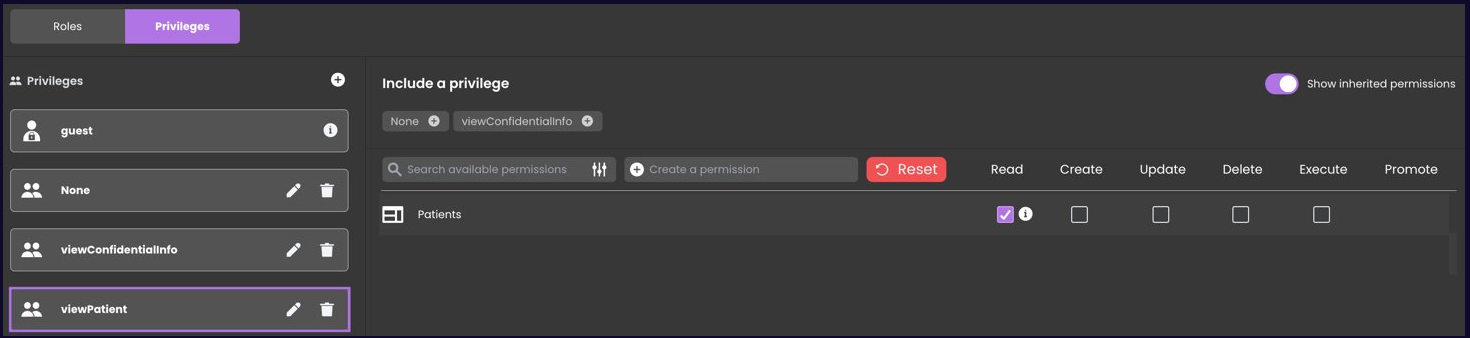
- Assign it to the Doctor and Secretary roles (see roles below).
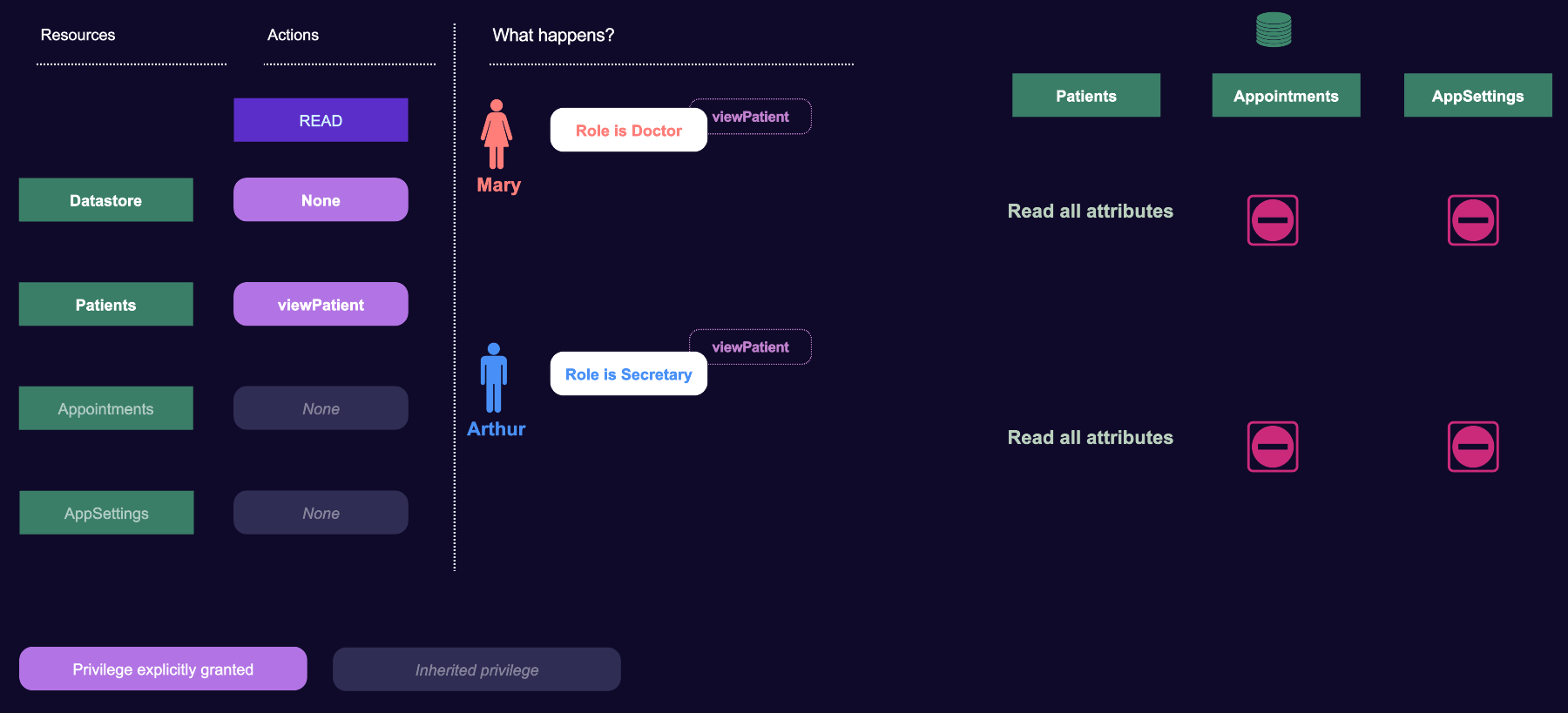
The Patients dataclass permission replaces the datastore permission, so a session with viewPatient can read patient data without None. This also includes the confidentialInfo attribute unless a separate attribute permission is defined.
Creating the viewConfidentialInfo privilege
Only the Doctor role can view the patient's confidential data (gathered in a confidentialInfo attribute).
- Create the viewConfidentialInfo privilege with Read access on the
Patients.confidentialInfoattribute.
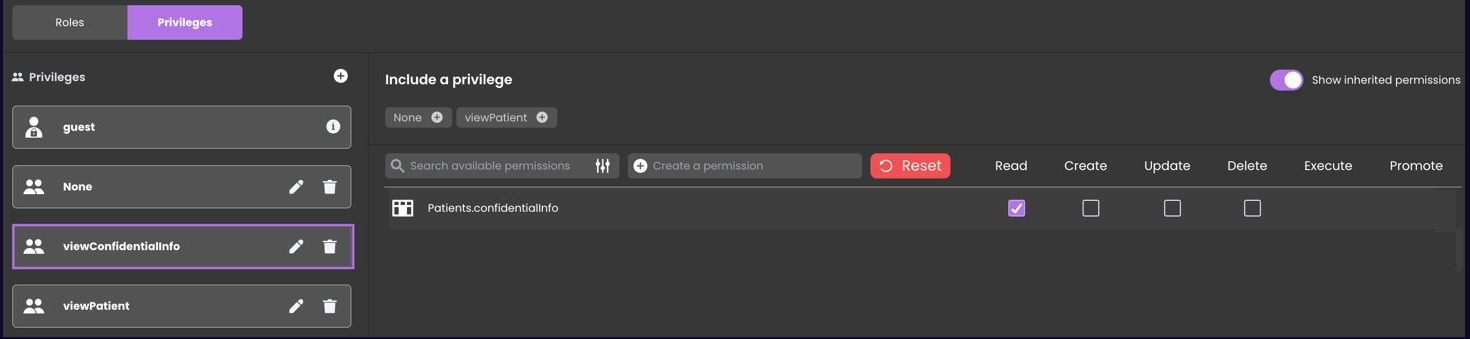
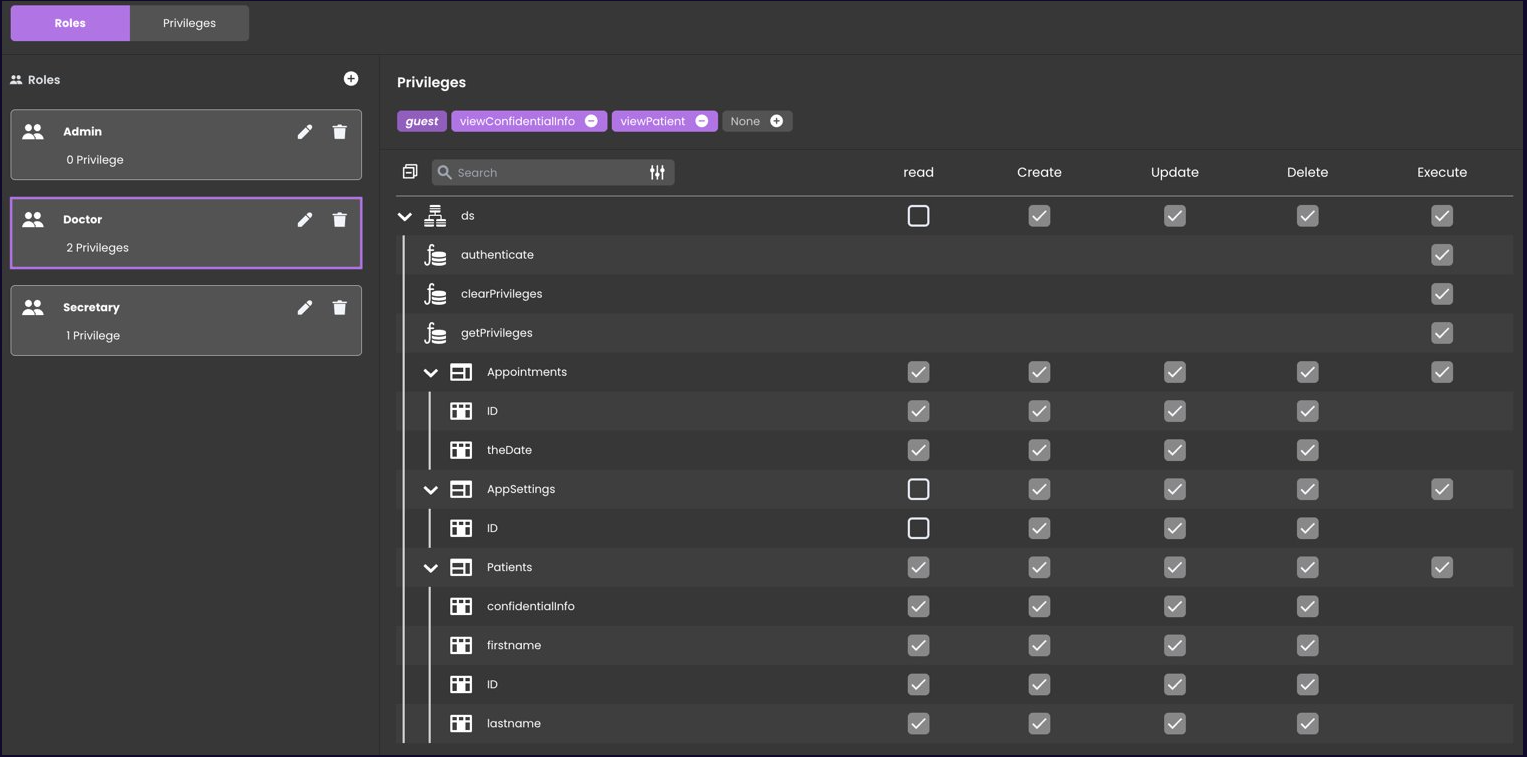
- Assign it to the Doctor role (see roles below). Attribute permissions are added to the parent dataclass permission, so reading
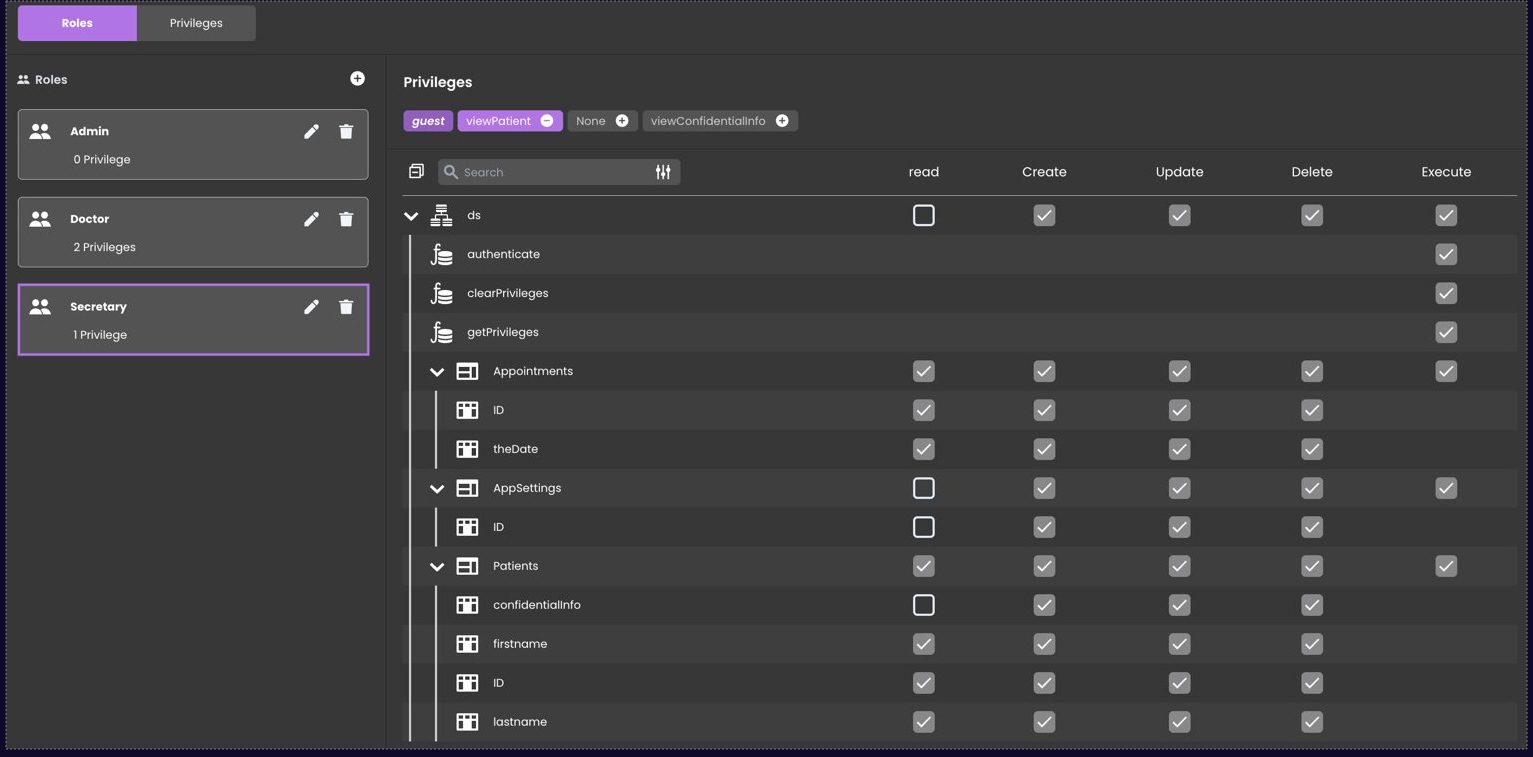
confidentialInforequires both viewPatient and viewConfidentialInfo. The Secretary role has only viewPatient, so it cannot read that attribute.
Roles
Here are the corresponding role definitions.
Secretary
Doctor
Allowing appointment reads
Grant the built-in guest privilege Read access to the Appointments dataclass.
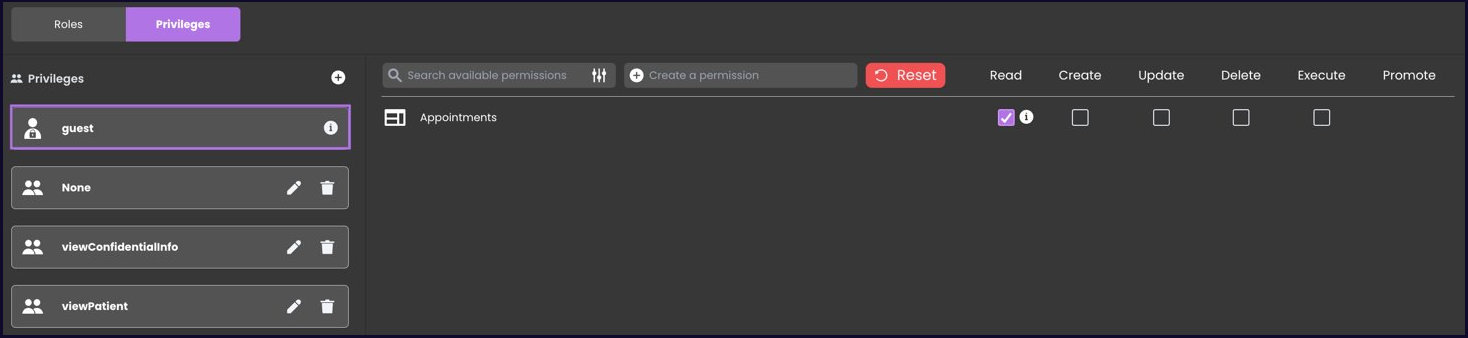
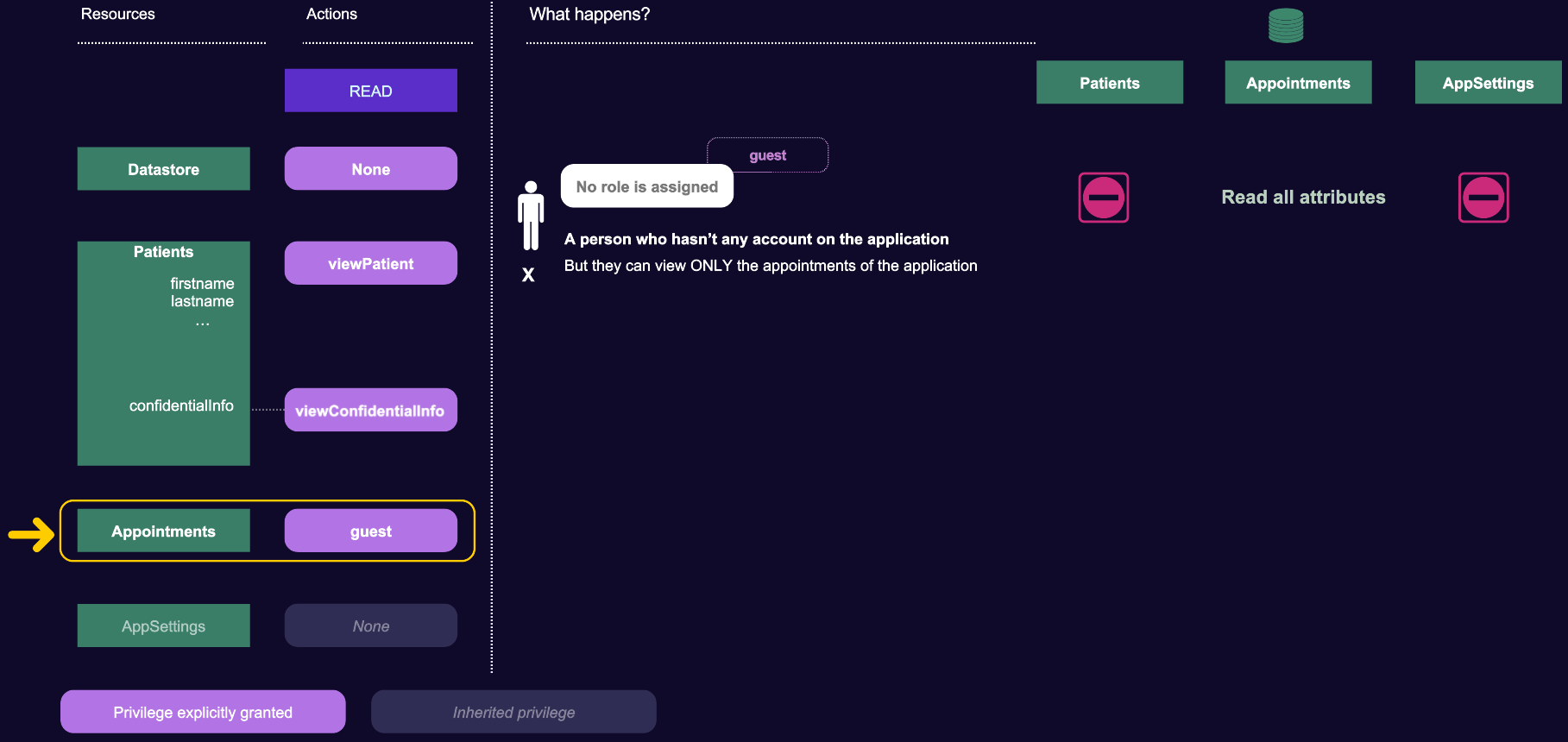
The Appointments dataclass permission replaces the datastore-level None permission. Because every session has the built-in guest privilege, all sessions can read appointments.
The final picture
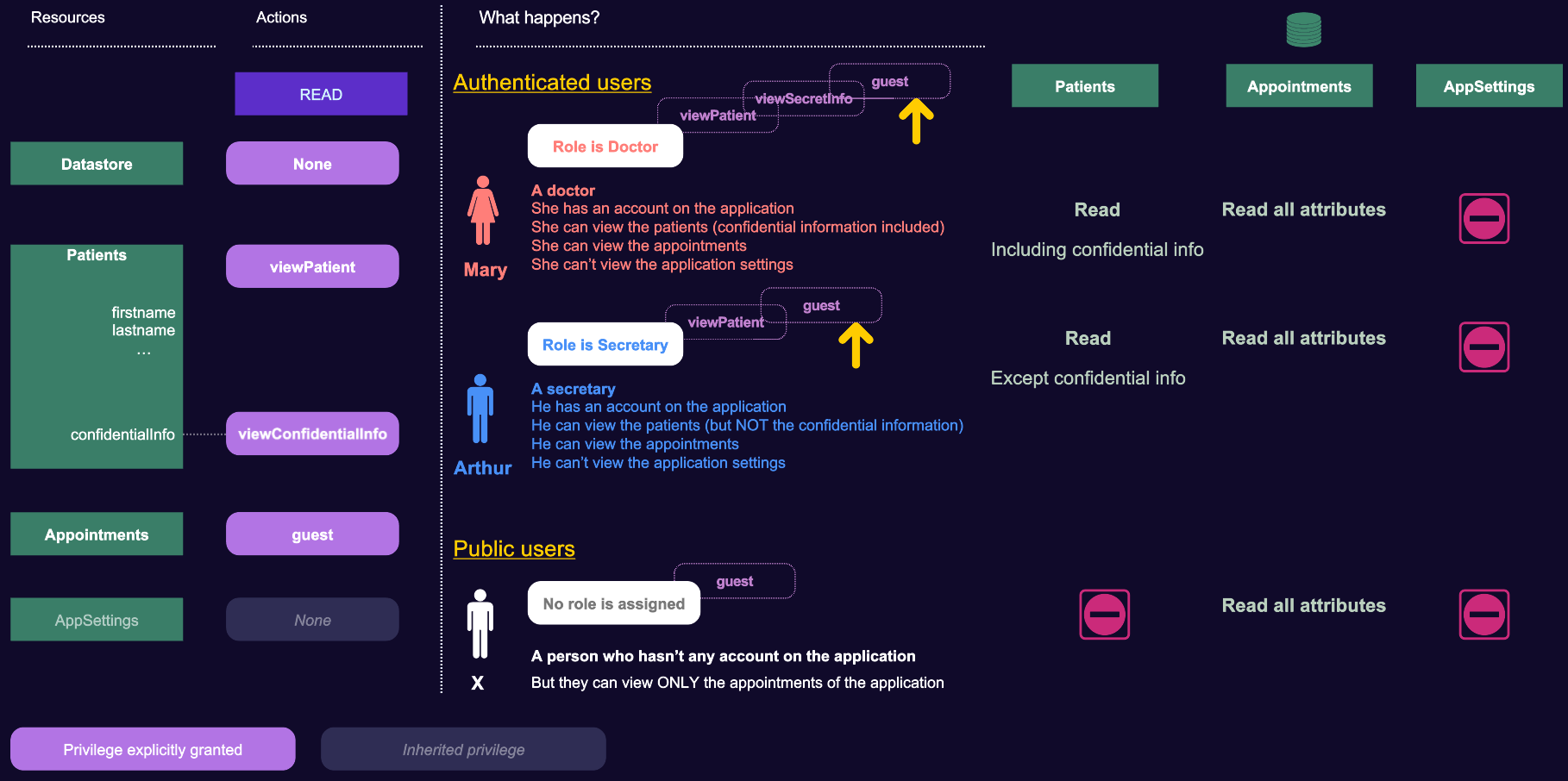
Here is a complete overview of the roles and privileges for our HealthCare application:
A common pattern
A common configuration grants broad access through a manager privilege, then restricts one dataclass: for example, the Salaries dataclass requires the payroll privilege. A session must have payroll to access Salaries, because a dataclass permission replaces the datastore permission; manager continues to grant access to other dataclasses.
Recommended practice
Grant access through roles. Create an administration role that includes every privilege except None, and add each new privilege to that role when it is created. With Restrict Access By Default off, review the Detailed Permission Review for every role after each permission change to confirm its effective access. See the 4D documentation on roles, privileges, and permission rules.