4D Write Pro area
4D Write Pro offers 4D users an advanced word-processing tool, fully integrated with your 4D application. Using 4D Write Pro, you can write pre-formatted emails and/or letters containing images, a scanned signature, formatted text and placeholders for dynamic variables. You can also create invoices or reports dynamically, including formatted text and images.
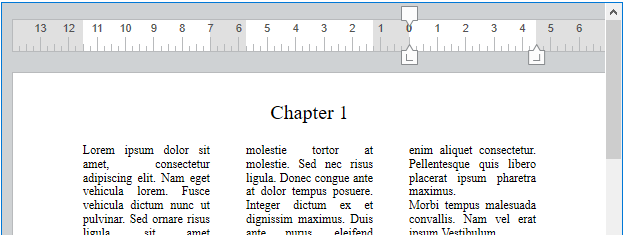
Using 4D Write Pro areas
4D Write Pro areas are documented in the 4D Write Pro Reference manual.
Supported Properties
Auto Spellcheck - Border Line Style - Bottom - Class - Context Menu - Draggable - Droppable - Enterable - Focusable - Height - Hide focus rectangle - Horizontal Scroll Bar - Horizontal Sizing - Keyboard Layout - Left - Method - Object Name - Print Variable Frame - Resolution - Right - Selection always visible - Show background - Show footers - Show headers - Show hidden characters - Show horizontal ruler - Show HTML WYSIWYG - Show page frame - Show references - Show vertical ruler - Type - Vertical Sizing - Vertical Scroll Bar - View mode - Visibility - Width - Zoom
Supported Events
On After Edit - On After Keystroke - On Before Keystroke - On Begin Drag Over - On Clicked - On Data Change - On Double Clicked - On Drag Over - On Drop - On Getting focus - On Header - On Load - On Losing focus - On Mouse Enter - On Mouse Leave - On Mouse Move - On Printing Break - On Printing Detail - On Printing Footer - On Selection Change - On Unload - On Validate