QR MOVE COLUMN
QR MOVE COLUMN ( area : Integer ; column : Integer ; newPos : Integer )
| Parameter | Type | Description | |
|---|---|---|---|
| area | Integer | → | Reference of the area |
| column | Integer | → | Column number |
| newPos | Integer | → | New position for column |
History
| Release | Changes |
|---|---|
| 15 R3 | Created |
Description
The QR MOVE COLUMN command moves the column currently found at the column position to the newPos position.
Both the column and newPos parameters must be valid column numbers (between 1 and the total number of columns in the report); otherwise, the error -9852 is returned.
Note: This command can be used with list reports only.
Example
You have designed the following report:
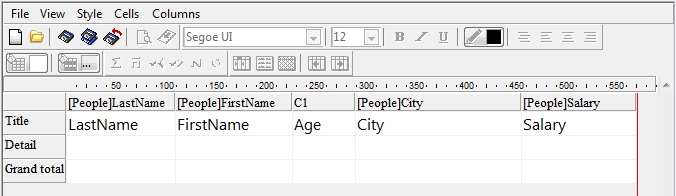
If you execute:
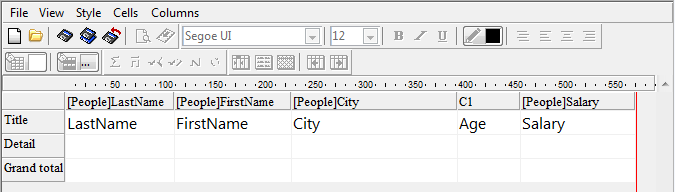
QR MOVE COLUMN(area;3;4)
The result is:
Properties
| Command number | 1325 |
| Thread safe | no |